Try Personify before you create an account
By Personify · 2 min read · Updated 2026-10-31
Edit a brief, describe an avatar and place a sample video on the calendar. Here’s what the interactive demo lets you try.
In this guide
A screenshot shows where the buttons are. It does not tell you whether a workflow makes sense. The Personify homepage demo lets you work through a small example before signing up.
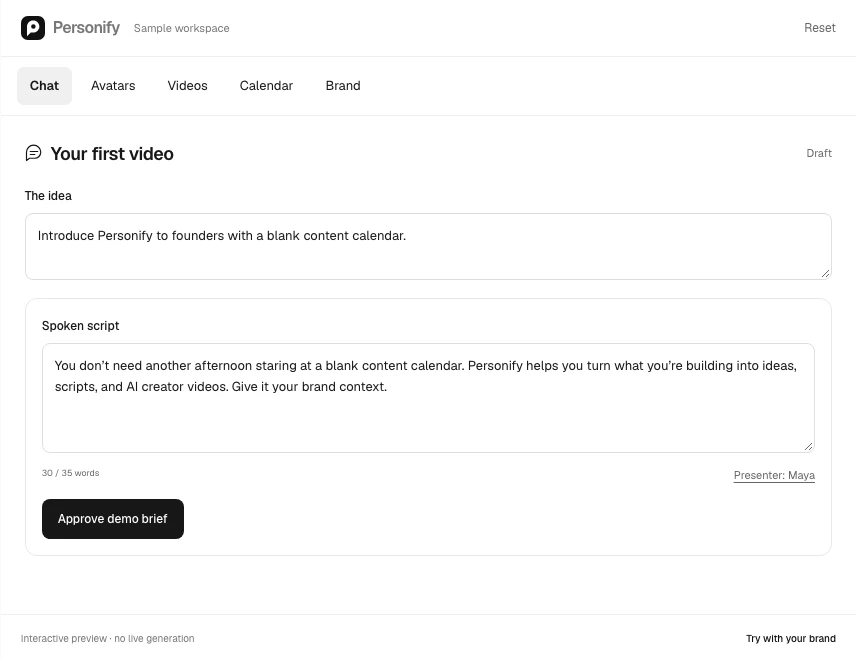
Start in Chat. There is already a short brief and a spoken script, so you can edit something concrete. Replace the idea with the story you want to tell, then change the script. Keep the script focused on one idea.
Describe an avatar, then review the brief
Open Avatars to describe a character in your own words. Create Character saves the description in your browser and offers a signup link; it does not generate an image. You can keep exploring the demo before creating an account.
Read the spoken script as if you were saying it to one person. Remove a sentence if it repeats the opening. Check that the final line gives the viewer a useful next step. When the brief is ready, select Approve.
Approval opens Videos. The player contains a prerecorded sample; editing the script or describing an avatar does not generate or alter that clip. The demo labels this beside the player. In your real workspace, generation is a separate operation with an exact quote and an approval step.
Put the video on a date
Choose Add to calendar, then select an open day in the calendar. The video appears on that date. Open its card and choose Add to calendar again to move it to another open day.
Calendar placement organizes your content. It does not publish a post. Reviewing a draft, generating a take, approving an export and publishing are separate actions in the real workspace too.
Bring your brand into the example
The Brand Kit page lets you change the sample brand name, review its positioning and edit its audience and voice. The updated brand name carries into new idea briefs. These changes stay in the demo. Reset restores the original example.
The next useful step is to create your workspace. Bring your website or a short product description, one audience and an idea you want to explain. Your first reel costs US$1 as a one-time purchase; it does not start a paid membership. You can review the script and available generation options before deciding what to make.
You do not need a complete content strategy to begin. A specific first story is enough.
Put the brief to work.
Develop your next idea with an AI CMO that knows your brand.
Start planning free